Of the Moment...
Logo and the name
Based on the idea of the project I started considering a name. I came up with a few possibilities, but the big problem is trying to secure the domain name. In the end I decided on ‘http://www.projexboard.com’.

Based on the project name I started plying around with logo ideas, I’m keen with the logo to stick to text only for simplicity. The image below shows some examples.

logos
A New Direction
The past couple of months this project has been on hold as I have been focusing on my other coursework. Now the other work is out the way I’ve moved back to working on this project. Having spent some time thinking about the project I have decided to move in a new direction.

Before I go in to detail regarding the change in content, I have also started to think about how I am going to produce the system. I have decided that although Drupal is a very good system, I do not think it will give me the flexibility I need for the project. For another project I used CakePHP and found it worked very well and was really customizable. The main reason for this decision is that Drupal is too pre built while cake PHP is just the core system.

The previous concept for the project was to produce a portfolio system to be used in schools. This would give a user a private area to store their files and web forms. But when I spoke to my project tutor last term he was very keen on the social concept of the project. But looking at my idea it didn’t really lend itself to this new route, so I am hoping to adapt the project from being a private system to more of a public showcase system.
Users and Accounts
One of the factors specified in the initial project proposal was that the system needed to be able to work for different ranges of users, or user groups, each with access to different resources.

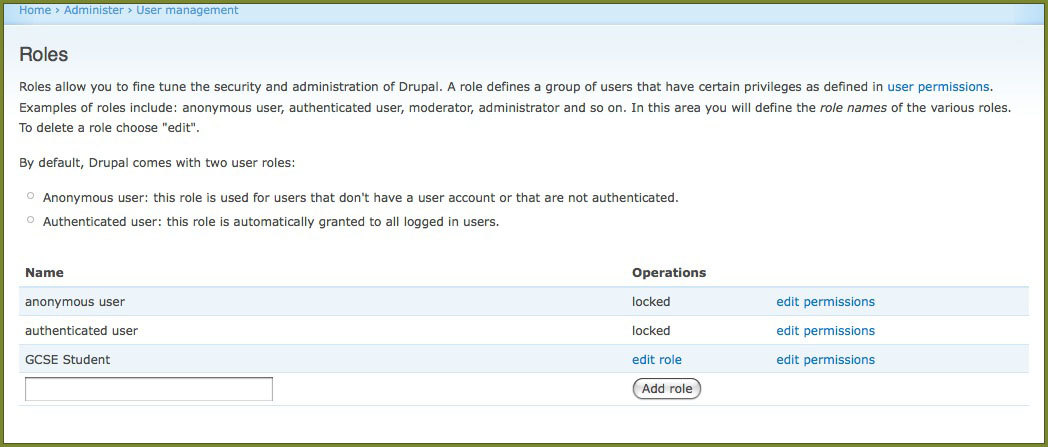
This is accomplished by the use of roles. The method used in implementing roles is very similar to the work I did during my placement year using the Blackboard system. The first task I needed to do was set up the different roles, if I find a need for more in the future then they can be added in as well. For now I have created the role for a GCSE Student.

users_1


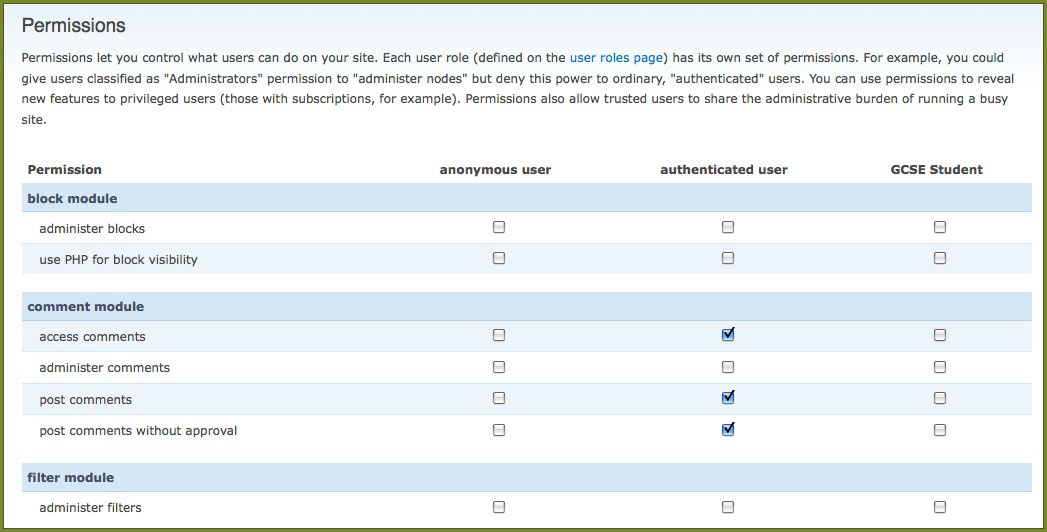
Each content item or area on the site is classed as permission, or in a sense permission to that area needs to be granted to a role. Since a user gets assigned a role, it means that the user can only access those areas the role has permission for.

users_2


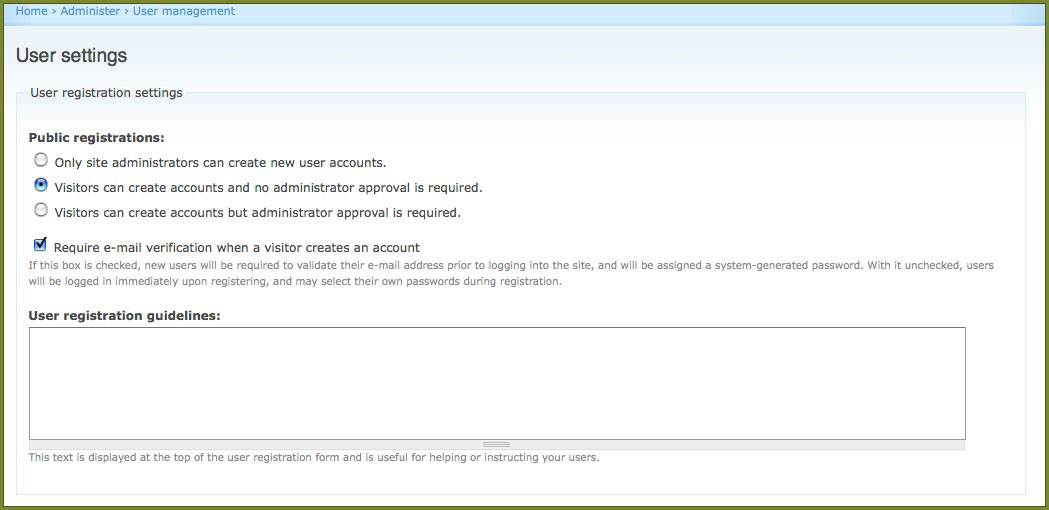
Since the system will be publicly available, I have set it up to enable anyone to register without requiring administrative permission. I may need to change theses settings in the future as I have not properly investigated the registration process I am going to require.

users_3


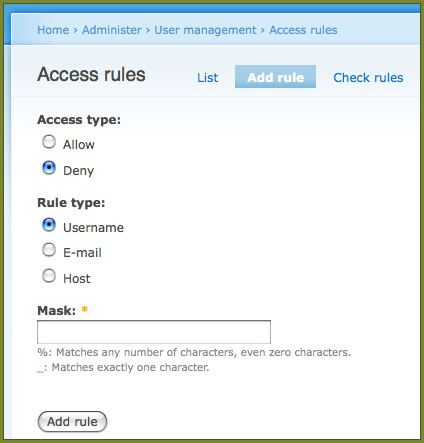
There are also built in methods of blocking users from say a particular domain. This is particularly useful if a user is found to be abusing the system. It can also be used in reverse to allow users soy from a particular university.


users_4
Modules
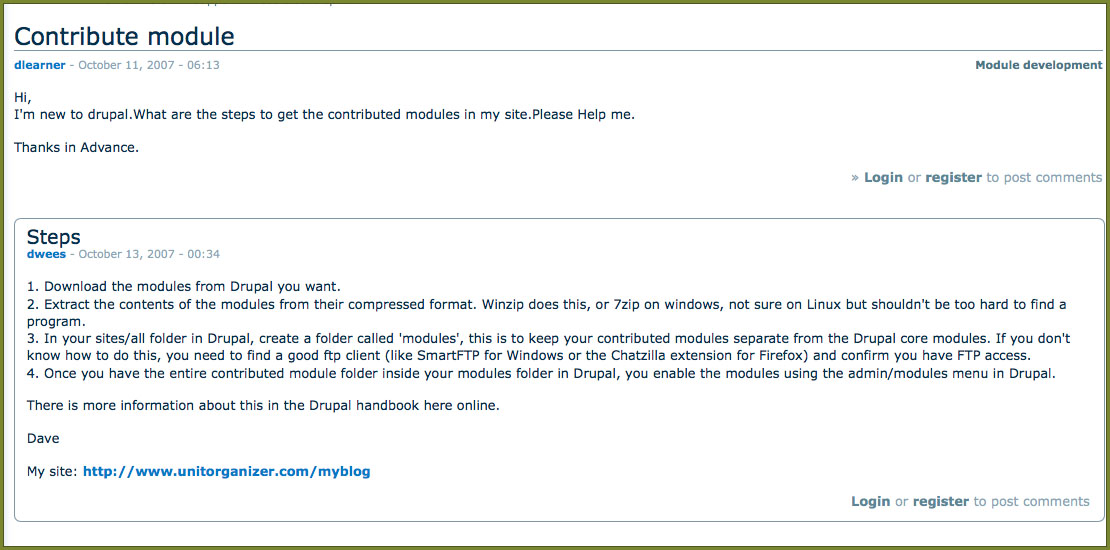
One of the great features of Drupal is that it allows you to install additional modules on top of the core system allowing for 100’s of extra features to be added. The installation process is very simple,. A quick search on Google lead me to the post below.

drupal_modules_1


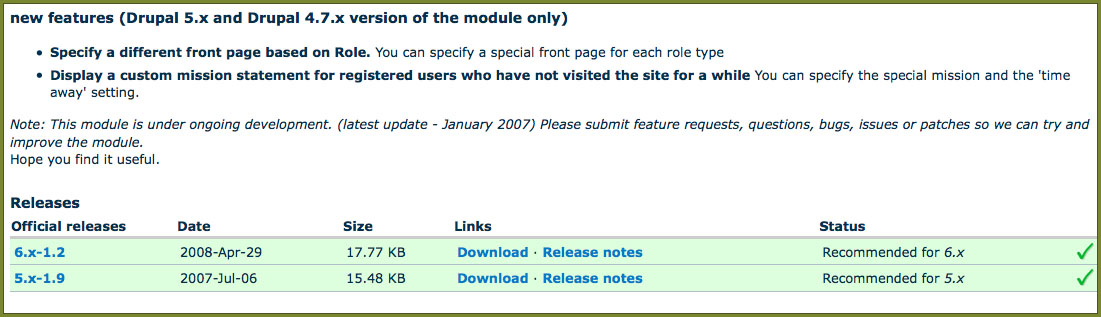
Since there are different versions of Drupal in use (websites running an older version may choose not to upgrade as some modules may not be supported on a new version), it is important to get modules compatible with the version in use. Looking on the Drupal website module list, it is easy to see which modules are compatible with each version.

drupal_modules_2


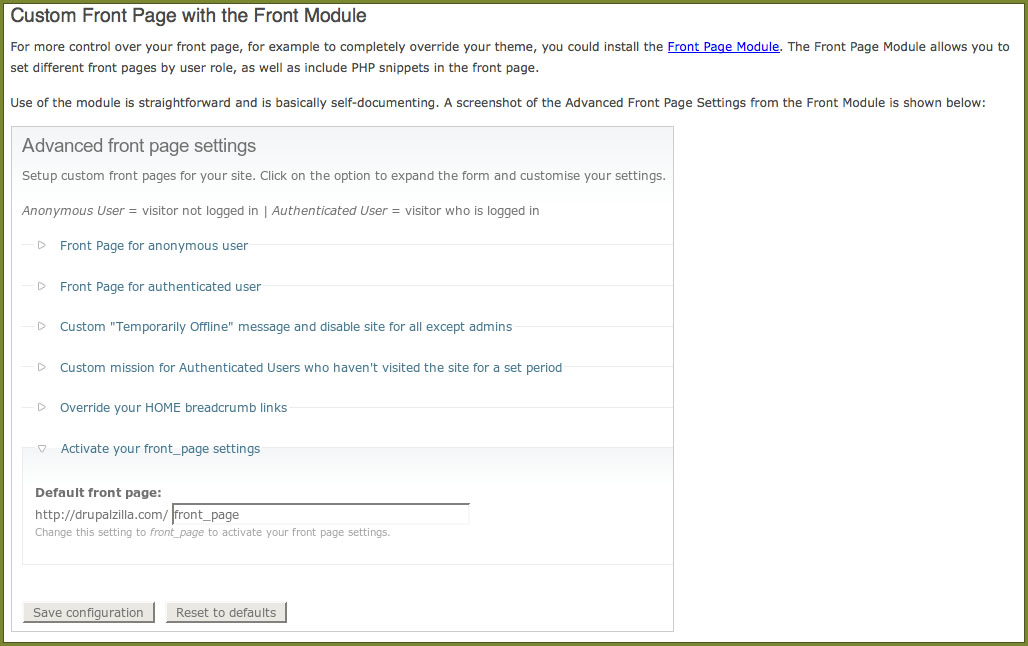
The first module I have installed is the ‘Custom Front Page’ module. This basically allows me to create a front page to the site using a different theme to the rest of the system. This is important, as what a guest user sees, should be different to what a user has access to once they have logged in. The home page to the site is more of a selling point so needs to be designed to focus on that task. The Front Page Module allows me to adjust the setting as much as I need, it even allows for the front page to be completely coded from scratch.

drupal_modules_3
Basic System Settings
I’ve started working through the basic system settings and trying to get a feel for using the system. From what I have seen so far the systems seems to be very powerful and allows much customization. On top of the default system content you can add many other modules and themes created by other users, or created yourself.

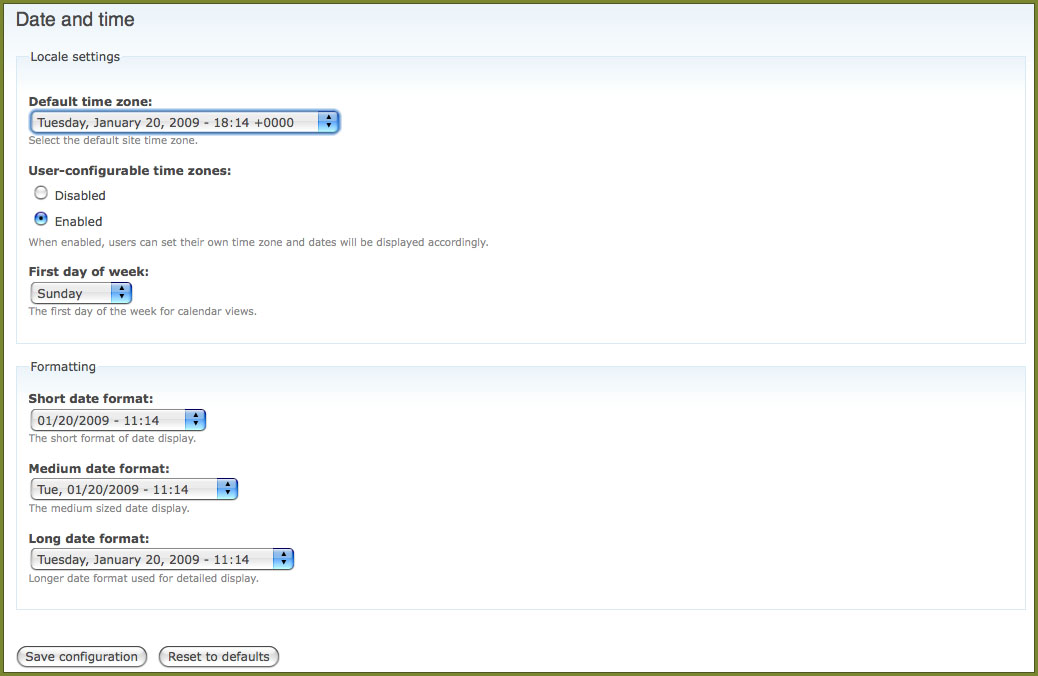
Some of the basic setup includes setting the correct system date and time based on your location as well as options to allowing the desired date and time format to be chosen. As can be seen from the image below the default short date format is shown in the American format, where month is given before day.

drupal_config_1


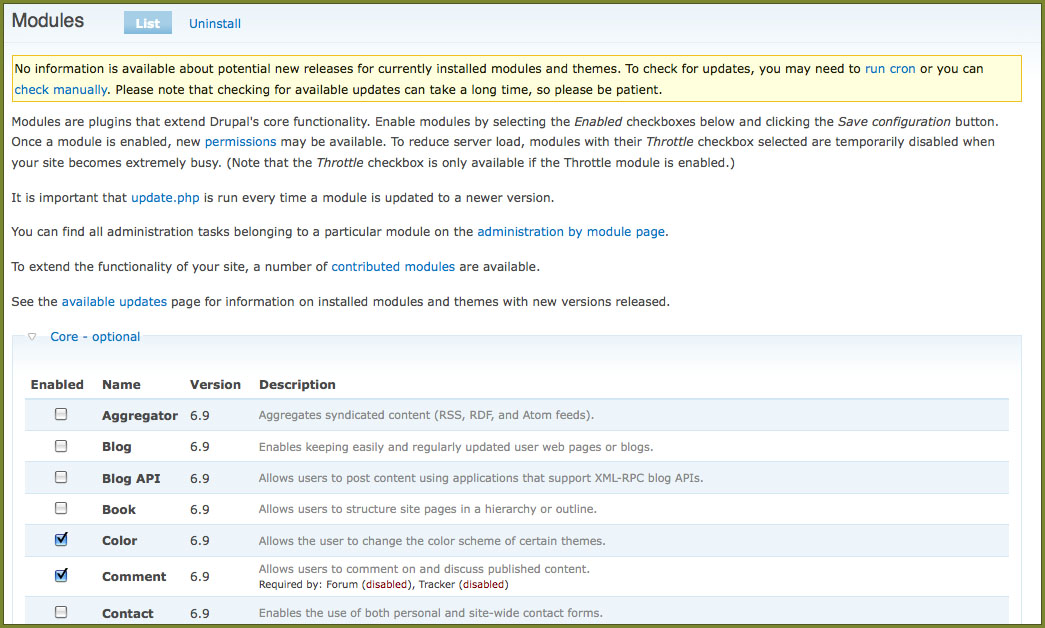
The use of modules allows almost any required feature to be added into the system. The most common of these come pre installed.

drupal_config_2


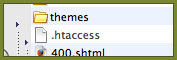
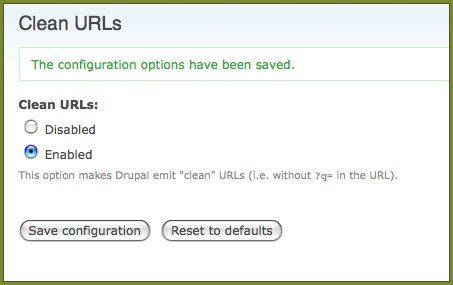
Another thing I have enabled is the use of friendly URL’s. This basically converts all the php variables used in the address to a much more common folder structure making it easier to understand and remember. If full access to the server is available then a few options can be enabled in the configuration files. As this is not the case with the server I am using an alternative method is available by enabling a '.htaccess' file. This is pre included but renamed as a text document until it is needed. The friendly URL’s can then be enabled.

drupal_config_3


drupal_config_4


Drupal
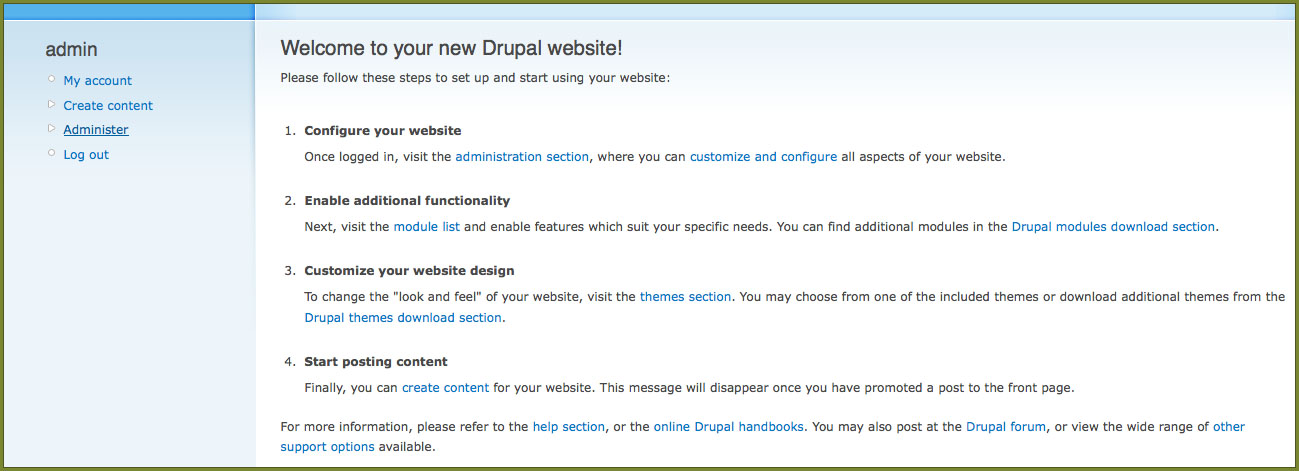
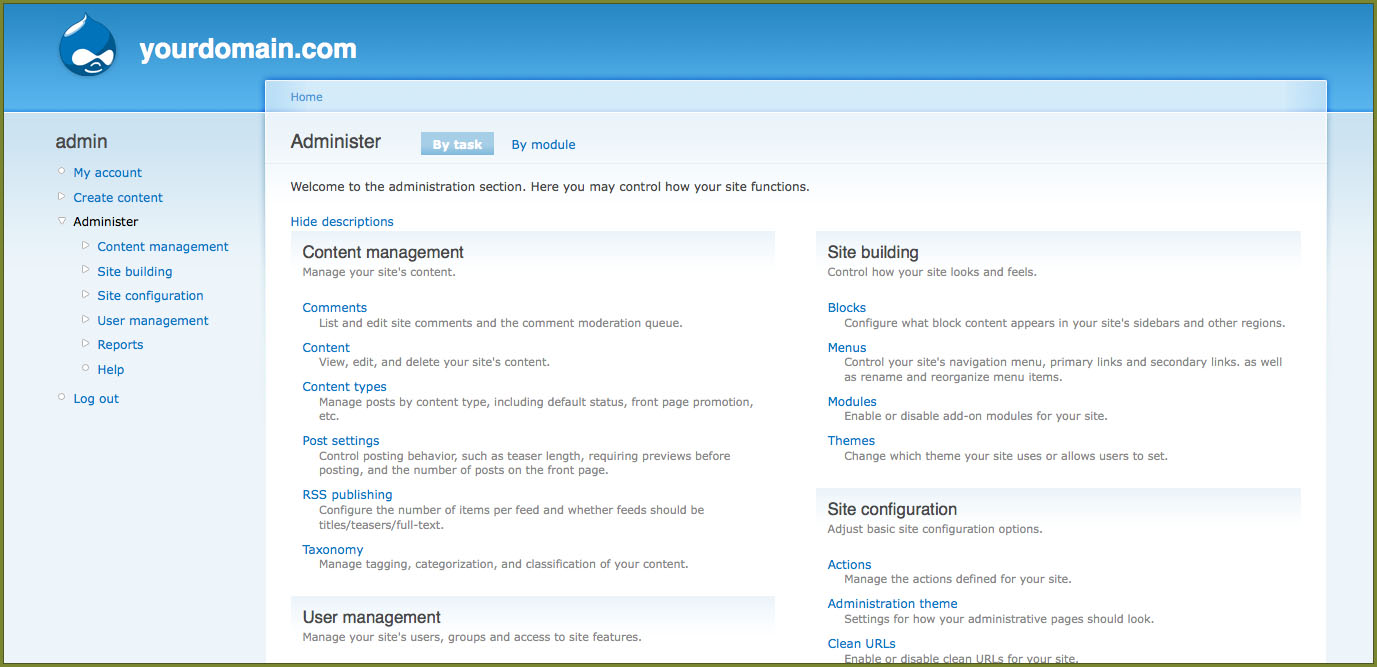
I have started looking round online and the best system to use at the moment seems to be Drupal for the backend of the project. Using simple scripts it was quite easy to install the system on a test server. The Simple Scripts install, setup all the databases and created the admin accounts making the system ready to go. The screen shot below shows the initial admin page, which is present once logged in with the admin account.

drupal_overview_1


Over the next few days I’m going to test out Drupal to get a feel of using it. I will post my discoveries to this blog. As well as investigating the back end to the system I need to start thinking about what needs to go into the front end, including coming up with some design ideas for the interface. It is my intention to try and spend a few hours on each project everyday.

drupal_overview_2


drupal_overview_3
Initial Thoughts
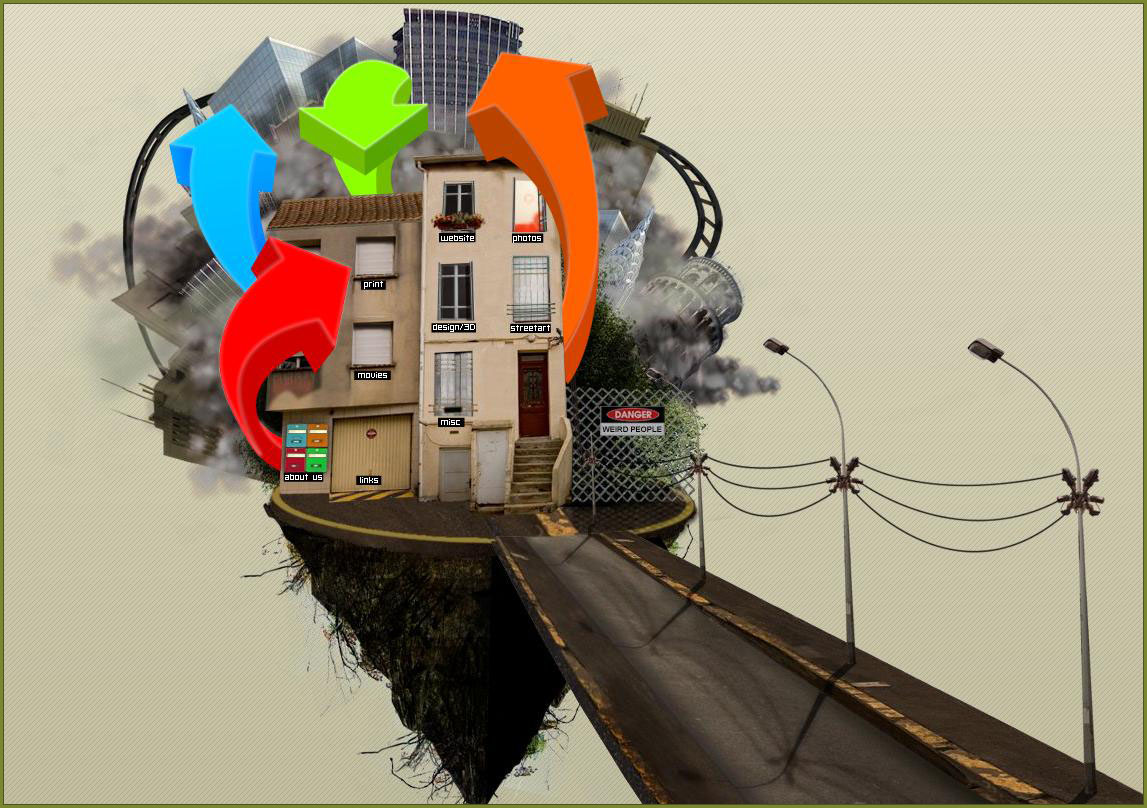
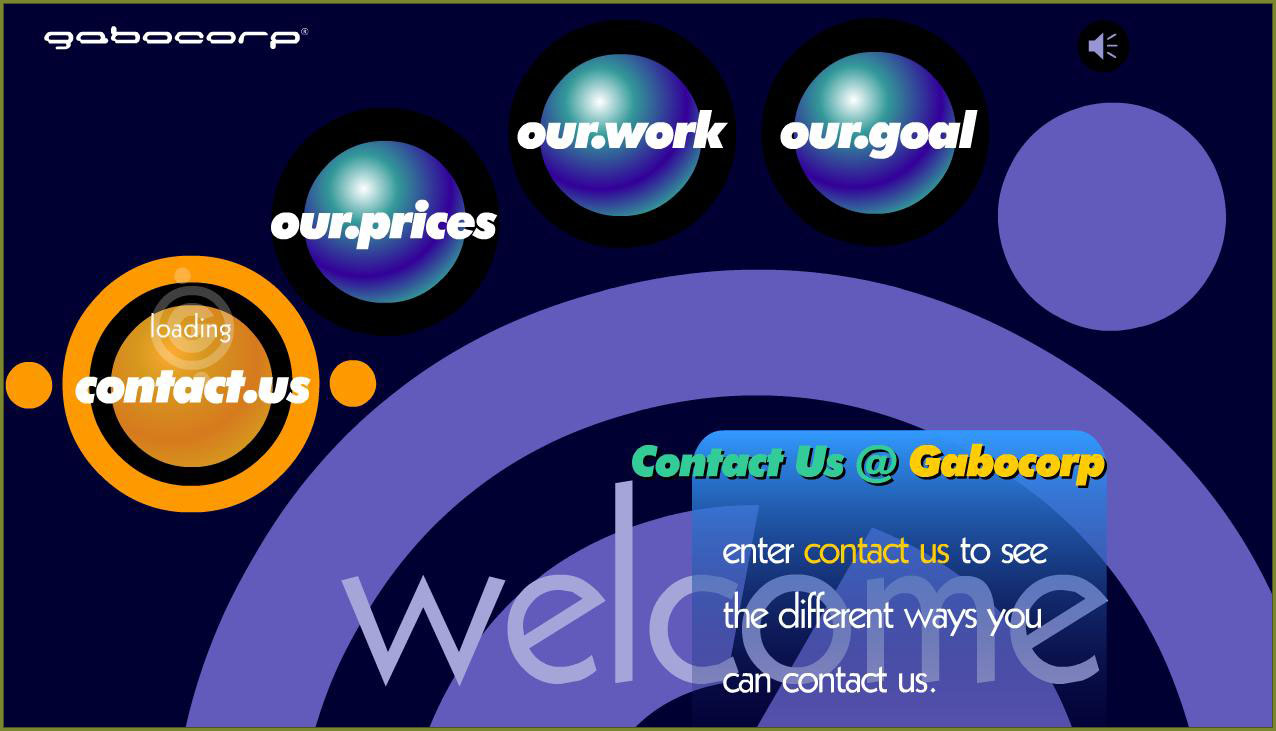
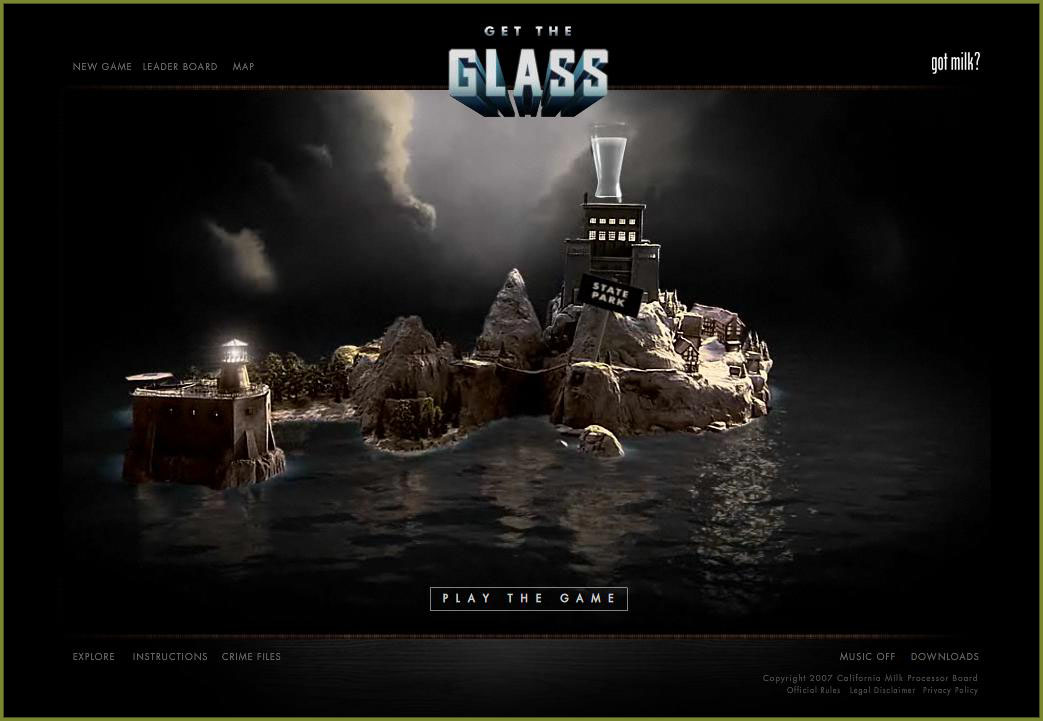
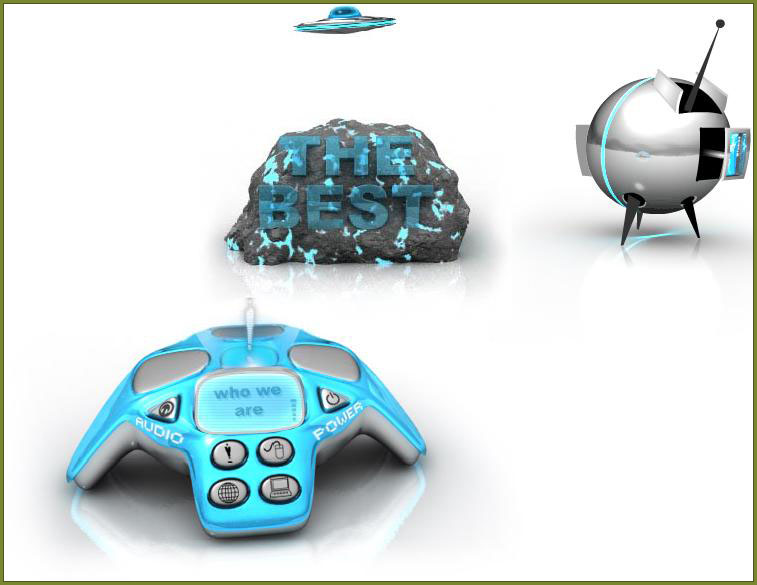
The most important part of the project will be the interface. To help get ideas on how best to create the interface I started gathering research online of existing websites which could be used for inspiration.

site 1


site 2


site 3


site 4


site 5


One of the key features I will be looking at with the project is how to keep the user interface as simple as possible (to allow for the wide IT knowledge base of the users), but at the same time still allowing it to have all the required functionality.

Each of the sites above have challenged the user interface in a different way. The designs range from a graphical animated menu to a 3D active environment, with areas of user interaction.

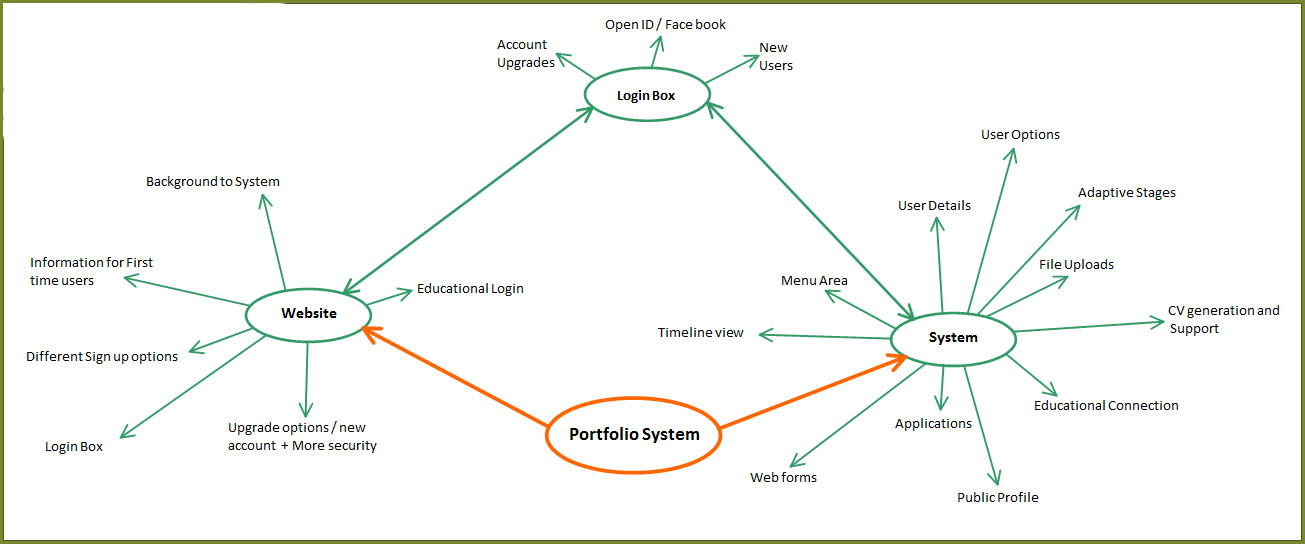
I think there are two areas of the project that need to be considered. The first is a promotional website, providing information on the system and to allow user sign-up, upgrades etc. The second and major area is the system its-self. Using Mind Maps I started thinking about the requirements of each of these areas.

site 5
Production Steps

There is a lot that could be covered in the project, the core system and then other areas which could be added if time.

Core system:

  • Configure openID for the login system.
  • Construct the user interface, including requirements gathered from research.
  • Link the interface to a backend for storing content.
  • Create templates (and options to add templates).
  • Add content stages, changing options available at different education stages.
  • Set up options to allow some content and CV’s to be publically viewable.

Additional Parts:

  • Convert the WebApp to a standalone version, which could then be sinked to the online version when available.
  • Look at ways it could be integrated with existing systems colleges/ universitys may already use.
Project Outline
Why this idea is innovative.
The idea came from a project I worked on whilst on placement. The problem was that within the faculty of health, one of the programmes wanted to digitise the portfolios that the students had to keep, but the important thing was that they needed to be able to keep them after university. Although this can be done with the current systems, at the end of their degree they can export a read only version (a collection of html pages and files). My idea is to create a system that would be available both before and after university. I have had a quick look online to see if there were any systems that might be similar. So far I haven’t come across anything.
Target Audience
The system is aimed at students from GCSE to University with further use after education, however in practice there is no reason why anyone who wanted to keep a portfolio (digital) could be able to use it provided they had the required knowledge of the web. The system will be divided into stages, so only the appropriate content is provided at each stage of education. There will also be options for institutions to create templates for students to use, this would allow it to run alongside any existing systems that may currently be used.

Technologies Overview
The project will be web based, and by being a web app will allow it to be cross platform (as it runs in the web browser). Coding languages will include php, mysql, JavaScript, html, xml. Development software will include Photoshop, Dreamweaver, web browsers and web dev environment.
First Ideas
My project idea is to develop an online portfolio web application aimed primary at students from GCSE years onwards. Many students are required to keep a portfolio of their work during college and university, and with everything becoming more digital the idea of an online portfolio would provide an ideal solution. Although there are application (e.g. the portfolio tool as part of the blackboard system) out there that can be used, these systems would rely on all institutions supporting them. The system, in theory could support anyone wishing to keep a portfolio of their work and would be split into sections to allow it to better target the individual audiences (Students at GCSE would not have the same requirements as students at University).

The system would also make use of templates, which would allow colleges/ universities to ensure the students were recording any required data, (different courses may also have different requirements). The web application would consist of forms for text input as well as allowing documents to be uploaded as well. Other options could be added which may include the ability to have a public profile as well as support with the creations of CV’s.

My intention is to make use of openID to handle the login system, many users already have openID accounts, and those who don’t can sign up for one for free.

The project could further be expanded to look at ways in which a standalone version of the web app could be made available as well as looking at ways it could be integrated as part of existing systems that educational establishments may use.

Search Posts
Hint: In the month field leave 'All' selected to return all posts from the chosen year.
Year:
Month:
Copyright 2008 Daniel Wilkins. All Rights Reserved.